I documenti di casa, in ordine. Sul tuo telefono.
Fotografa una fattura: L'archiviatore legge il testo, capisce mittente, data, importo e scadenza, e la mette nel raccoglitore giusto. Tutto sul dispositivo, nessun server nostro: i documenti restano sul tuo telefono o nel tuo iCloud, cifrati.
Scarica sull'App StoreCome funziona Manuale (PDF)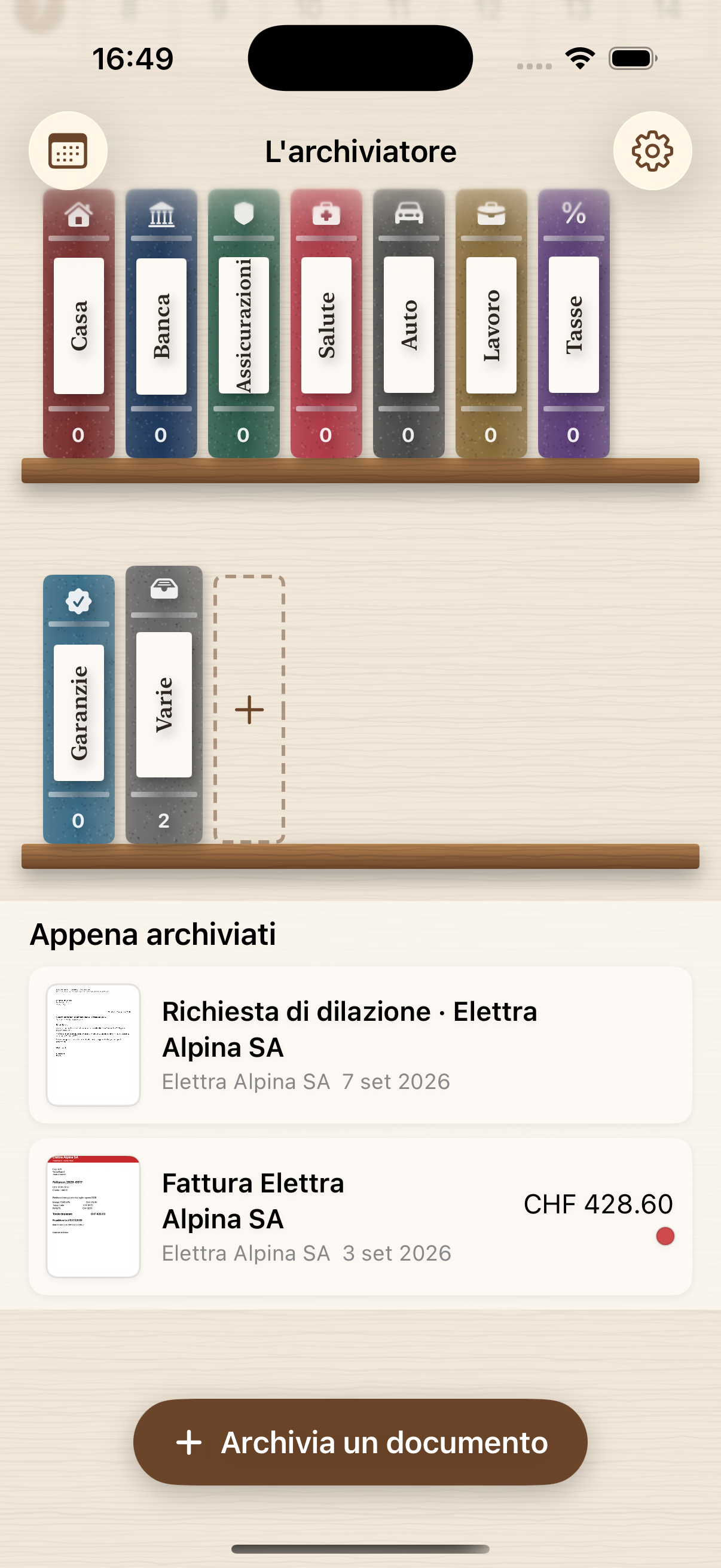
Tutto on-device
OCR, classificazione e ricerca girano sull'iPhone. Nessun server, nessun account.
Cerca come parli
«Fatture Fonalp di marzo», «la polizza blu», «ricevute sopra 100 franchi». Anche a voce.
Scadenze a calendario
Notifiche con campanella, striscia in Home, mese e anno. Con un interruttore le scadenze si scrivono da sole in un calendario «L'archiviatore» del Calendario di iOS, con un link che riapre il documento.
Rispondi con una lettera
In calce a ogni documento: risposta, richiesta di proroga o di dilazione, contestazione, invio dei dati richiesti. Destinatario e riferimento presi dal documento, testo nella sua lingua, logo dell'attività, indirizzo nella finestra della busta C5, tre stili classici. PDF, Word o Pages; poi archivia, invia per e-mail o stampa.
Scansioni che si possono mandare
Tre livelli di finezza: leggera per l'e-mail, normale, alta per ristampare. Dieci pagine passano da quindici megabyte a meno di quattro. E se un allegato è grosso, l'app chiede se alleggerire la copia da spedire: nell'archivio l'originale resta com'è.
Fogli piegati, fascicoli misti
«Foglio intero» scatta la pagina senza ritagliarla, per i fogli piegati o graffettati; nella stessa scansione si passa dallo scanner al foglio intero. Poi scegli dove va: un documento nuovo, in coda a uno che c'è già, o nella cartella che apri tu, con «Salva qui».
Si rilegge e si rimette in ordine
«Rianalizza il documento» rilegge un documento già archiviato con le regole nuove e mostra, campo per campo, cosa cambierebbe. Gli allegati di troppo vanno nel cestino, da dove si rimettono al loro posto o si eliminano per sempre.
Face ID e cifratura
Sblocco biometrico, schermata mascherata, allegati cifrati con chiave nel Keychain.
20 documenti gratuiti con tutte le funzioni e fino a due firme salvate. Poi un acquisto unico, per sempre: CHF 19.90 fino al 31 dicembre 2026, CHF 29.90 dal 1° gennaio 2027. Nessun abbonamento.
Your household documents, in order. On your phone.
Scan an invoice: L'archiviatore reads the text, recognises sender, date, amount and due date, and files it in the right binder. All on the device, no server of ours: your documents stay on your phone or in your own iCloud, encrypted.
Download on the App StoreHow it works User guide (PDF)Everything on-device
OCR, classification and search run on the iPhone. No server, no account.
Search the way you speak
"Fonalp invoices from March", "the blue policy", "receipts over 100 francs". By voice too.
Deadlines on a calendar
Notifications with a chime, Home strip, month and year. Flip a switch and deadlines write themselves into an “L'archiviatore” calendar in the iOS Calendar, with a link that reopens the document.
Reply with a letter
At the bottom of every document: reply, request for an extension or instalments, dispute, requested information. Recipient and reference taken from the document, text in its language, your business logo, address in the C5 envelope window, three classic styles. PDF, Word or Pages; then file it, e-mail it or print it.
Scans you can actually send
Three levels of detail: light for e-mail, normal, high for reprinting. Ten pages go from fifteen megabytes to under four. And if an attachment is heavy, the app asks whether to lighten the copy you send: in the archive the original stays as it is.
Folded sheets, mixed bundles
“Whole sheet” takes the page without cropping it, for folded or stapled sheets; within the same scan you switch between scanner and whole sheet. Then choose where it goes: a new document, at the end of an existing one, or the folder you open yourself, with “Save here”.
Read again, tidied up
“Re-analyse the document” reads an archived document again with the new rules and shows, field by field, what would change. Attachments you don't need go to the Trash, where you can put them back or delete them for good.
Face ID and encryption
Biometric unlock, masked screen, attachments encrypted with a Keychain key.
20 documents free with every feature and up to two saved signatures. Then a single one-time purchase, forever: CHF 19.90 until 31 December 2026, CHF 29.90 from 1 January 2027. No subscription.
Die Dokumente des Haushalts, geordnet. Auf Ihrem Telefon.
Rechnung scannen: L'archiviatore liest den Text, erkennt Absender, Datum, Betrag und Fälligkeit und legt sie im richtigen Ordner ab. Alles auf dem Gerät, kein Server von uns: Ihre Dokumente bleiben auf Ihrem Telefon oder in Ihrer iCloud, verschlüsselt.
Im App Store ladenSo funktioniert es Anleitung (PDF)Alles auf dem Gerät
OCR, Klassifizierung und Suche laufen auf dem iPhone. Kein Server, kein Konto.
Suchen wie man spricht
«Fonalp-Rechnungen vom März», «die blaue Police», «Quittungen über 100 Franken». Auch per Sprache.
Fristen im Kalender
Mitteilungen mit Glocke, Leiste auf dem Startbildschirm, Monat und Jahr. Ein Schalter, und die Fristen schreiben sich von selbst in einen Kalender «L'archiviatore» des iOS-Kalenders, mit einem Link zurück zum Dokument.
Mit einem Brief antworten
Unter jedem Dokument: Antwort, Gesuch um Fristverlängerung oder Ratenzahlung, Einsprache, angeforderte Angaben. Empfänger und Referenz aus dem Dokument, Text in dessen Sprache, Logo des Betriebs, Adresse im Fenster des C5-Kuverts, drei klassische Stile. PDF, Word oder Pages; dann ablegen, per E-Mail senden oder drucken.
Scans, die man verschicken kann
Drei Stufen: leicht für E-Mail, normal, hoch zum Nachdrucken. Zehn Seiten gehen von fünfzehn Megabyte auf unter vier. Und ist ein Anhang schwer, fragt die App, ob die Kopie zum Versand leichter werden soll: im Archiv bleibt das Original, wie es ist.
Gefaltete Blätter, gemischte Bündel
«Ganzes Blatt» nimmt die Seite ohne Zuschnitt auf, für gefaltete oder geheftete Blätter; im selben Scan wechseln Sie zwischen Scanner und ganzem Blatt. Dann wählen Sie, wohin es kommt: ein neues Dokument, ans Ende eines vorhandenen oder in den Ordner, den Sie selbst öffnen, mit «Hier speichern».
Neu gelesen, neu geordnet
«Dokument neu auswerten» liest ein archiviertes Dokument mit den neuen Regeln und zeigt Feld für Feld, was sich ändern würde. Überflüssige Anhänge kommen in den Papierkorb, von wo sie zurückkommen oder endgültig gelöscht werden.
Face ID und Verschlüsselung
Biometrisches Entsperren, maskierter Bildschirm, Anhänge mit Schlüsselbund-Schlüssel verschlüsselt.
20 Dokumente gratis mit allen Funktionen und bis zu zwei gespeicherten Unterschriften. Danach ein einmaliger Kauf, für immer: CHF 19.90 bis 31. Dezember 2026, CHF 29.90 ab 1. Januar 2027. Kein Abonnement.
Les documents de la maison, en ordre. Sur votre téléphone.
Scannez une facture : L'archiviatore lit le texte, reconnaît l'expéditeur, la date, le montant et l'échéance, et la range dans le bon classeur. Tout sur l'appareil, aucun serveur à nous : vos documents restent sur votre téléphone ou dans votre iCloud, chiffrés.
Télécharger sur l'App StoreComment ça marche Mode d'emploi (PDF)Tout sur l'appareil
OCR, classification et recherche s'exécutent sur l'iPhone. Pas de serveur, pas de compte.
Cherchez comme vous parlez
« Factures Fonalp de mars », « la police bleue », « reçus de plus de 100 francs ». À la voix aussi.
Échéances au calendrier
Notifications avec clochette, bande sur l'accueil, mois et année. Un interrupteur, et les échéances s'écrivent d'elles-mêmes dans un calendrier « L'archiviatore » du Calendrier iOS, avec un lien qui rouvre le document.
Répondre par une lettre
Au bas de chaque document : réponse, demande de prolongation ou d'échelonnement, contestation, informations demandées. Destinataire et référence tirés du document, texte dans sa langue, logo de l'entreprise, adresse dans la fenêtre de l'enveloppe C5, trois styles classiques. PDF, Word ou Pages ; puis classez, envoyez par e-mail ou imprimez.
Des scans qu'on peut envoyer
Trois niveaux de finesse : légère pour l'e-mail, normale, haute pour réimprimer. Dix pages passent de quinze mégaoctets à moins de quatre. Et si une pièce jointe est lourde, l'app demande s'il faut alléger la copie envoyée : dans l'archive l'original reste tel quel.
Feuilles pliées, dossiers mélangés
« Feuille entière » prend la page sans la recadrer, pour les feuilles pliées ou agrafées ; dans la même numérisation, vous passez du scanner à la feuille entière. Puis vous choisissez où elle va : un nouveau document, à la fin d'un document existant, ou le dossier que vous ouvrez vous-même, avec « Enregistrer ici ».
Relu et remis en ordre
« Réanalyser le document » relit un document archivé avec les nouvelles règles et montre, champ par champ, ce qui changerait. Les pièces jointes en trop vont à la corbeille, d'où elles reviennent à leur place ou sont supprimées définitivement.
Face ID et chiffrement
Déverrouillage biométrique, écran masqué, pièces jointes chiffrées avec une clé du trousseau.
20 documents gratuits avec toutes les fonctions et jusqu'à deux signatures enregistrées. Puis un achat unique, pour toujours : CHF 19.90 jusqu'au 31 décembre 2026, CHF 29.90 dès le 1er janvier 2027. Pas d'abonnement.